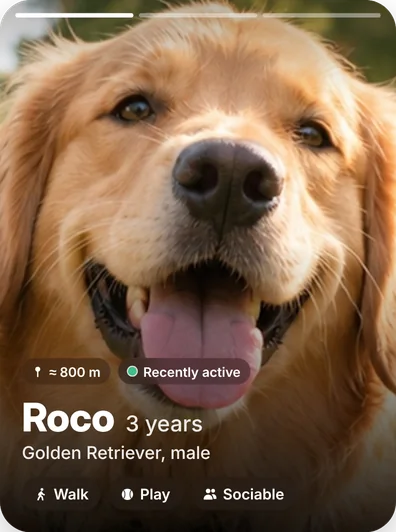
The community for people with pets
Connect, walk and play with other pets
Meet pets near you, give Guaus, chat, create groups, join events and plan walks. Your pet is the star; you decide who to connect with.
Also on Google Play
Scan the code with your phone’s camera to download Guau
- Pets at the center
- Connections on your terms
- Privacy and reporting
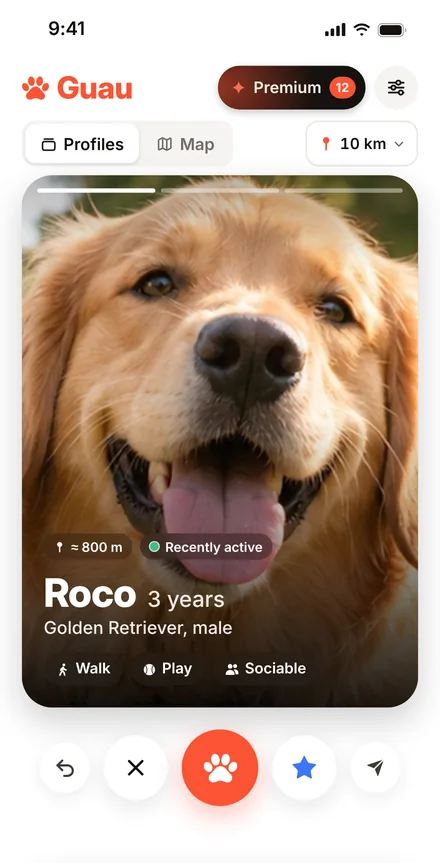


From the first Guau to the first walk
This is how pets meet on Guau, in three steps.
Create your pet’s profile
Add photos and share their breed, their age and what they like best: going for walks, playing or making friends.
Give a Guau to the pets you like
Find them in their profiles or on the map. If their owner gives your pet a Guau too, you connect.
Chat and meet up for a walk
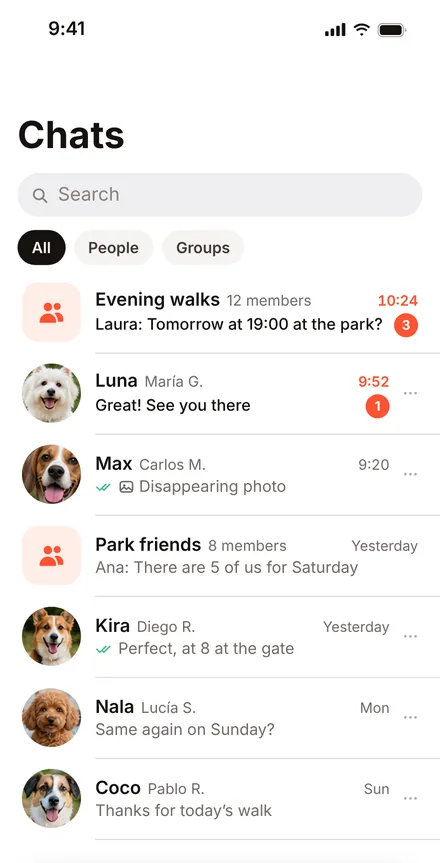
Talk to other owners, share disappearing photos and plan walks with one person, with a whole group or at an event.
An experience designed to enjoy more time with your pet
Discover, connect and chat without losing control of your profile, your permissions or your privacy.
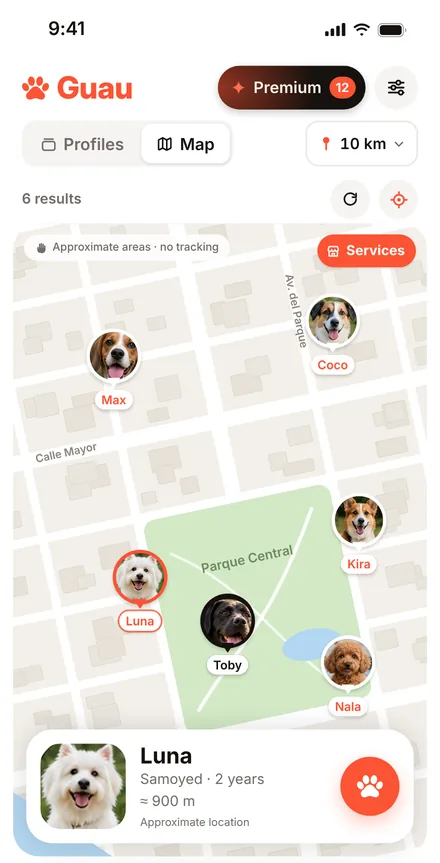
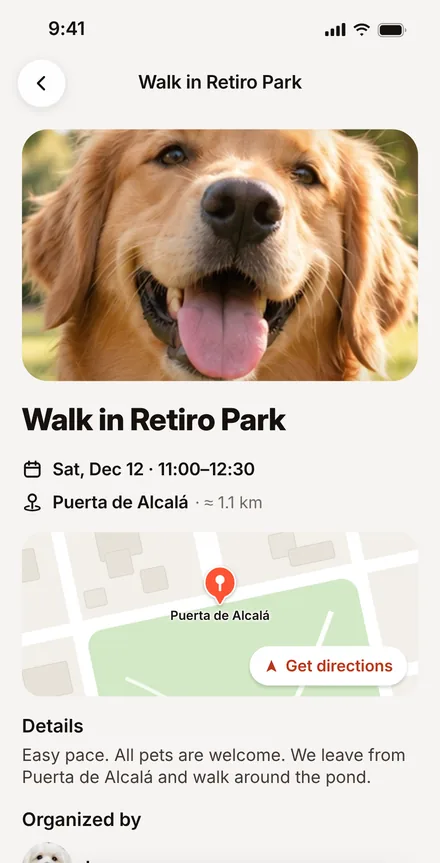
You decide how to use Guau
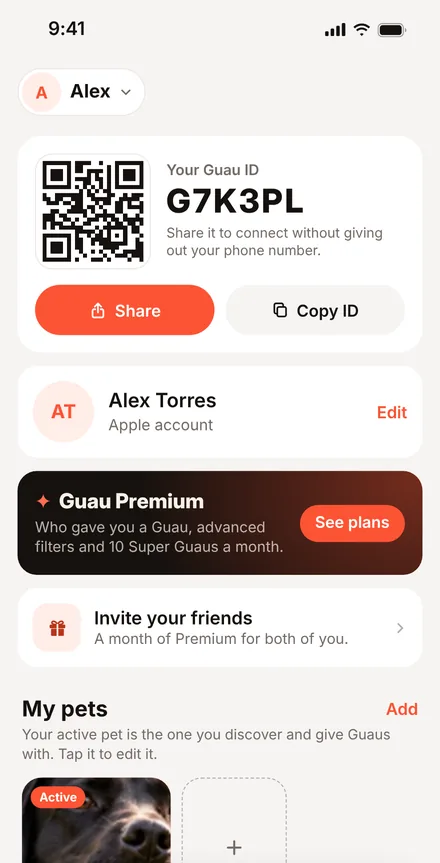
The location shown is an area, not live GPS tracking. You can block and report profiles, messages and events, manage your permissions and delete your account from the app.
- Your GPS point is not storedBefore saving it, Guau turns your location into an approximate area.
- Connect without sharing your phone numberShare your Guau ID or your QR code.
- Block and reportRight from the app, whenever you need to.
Do you run a pet business?
Vet clinics, groomers, shops, walkers, boarding and other professionals get known on Guau among the people with pets in their area.
- Your listing with photos, services and opening hours
- Messages from customers, on your phone or your computer
- Figures to see how people find you
Frequently asked questions
Can’t find what you’re looking for? Write to us at hola@getguau.com or visit the help center.
How does a Guau work?
When you like a pet, you give them a Guau. If their owner gives your pet a Guau too, you connect and can start chatting.
What are events?
Walks and meetups in public places organized by people near you, on a single day or every week. You’ll find them in Guaus › Events and on the map, and when you join you enter the event chat. Only the organizer and the people going can see who is going.
Can others see where I live?
No. Guau doesn’t store your GPS coordinates: before saving them, it turns them into the center of an approximate grid cell of up to about 700 meters per side. The map shows an area of about 500 meters, never your exact location or live tracking.
Do I have to share my phone number to connect?
No. Every account has a Guau ID and a QR code to connect with other people without sharing your number.
How old do you have to be?
Guau is for people aged 16 or over. When you create your profile we ask for your date of birth to check it; the exact date is not shown to other users.
What do I do if someone behaves badly?
Block or report their profile from the app. If it’s serious, write to us at hola@getguau.com.
Guau is not an emergency service: if there is an immediate risk to a person or an animal, call 112 or your local emergency number.
What is Guau Premium?
An optional subscription with extra features, such as seeing who gave you a Guau and using advanced filters. You subscribe and cancel through the App Store or Google Play.
How do I delete my account?
From the app, in Profile → Account → Delete account. If you can no longer sign in, follow the steps in Delete account.
Deleting your account does not cancel a subscription: cancel it too in the App Store or on Google Play.
Which phones does it work on?
On iPhone, from the App Store, and on Android, from Google Play.
Good friends are found on walks, too.
Guau is available now on iPhone and Android.
Also on Google Play
Scan the code with your phone’s camera to download Guau